
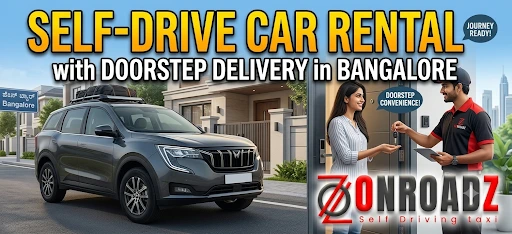
Finding a rental car in Bangalore is easier than ever, but travelling to a rental station to collect the vehicle can sometimes be inconvenient. If you are carrying luggage, travelling with family, managing a busy schedule, or simply want to start your journey from home or office, doorstep delivery can make the entire experience more convenient.
With Onroadz, customers can book a self-drive car in Bangalore and choose doorstep delivery, allowing the vehicle to be brought to an agreed location at the scheduled time. Onroadz currently offers hatchbacks, sedans, SUVs, MUVs and other vehicle categories for local and outstation travel.
What Is Doorstep Car Delivery?
Doorstep delivery means you do not necessarily have to travel to a rental hub to collect your self-drive car. Instead, you provide your preferred delivery location and timing during the booking process, subject to service availability.
Onroadz states that customers can choose doorstep delivery and provide the required time and location during booking. Its service information also describes delivery to locations such as homes, offices, PGs and selected landmarks in Bangalore.
This can be particularly useful when your trip starts early in the morning, when you have heavy luggage, or when reaching a rental station would require an additional cab ride.
Step 1: Choose Your Car
Start by visiting the Onroadz website or app and browsing the available self-drive cars in Bangalore.
- The fleet includes different categories, from compact hatchbacks and sedans to SUVs and MUVs. The current Bangalore rental page lists vehicles such as the Grand i10, Swift Dzire, Ford EcoSport, S-Presso, Renault Kwid, Tata Tiago and Tata Nexon, subject to availability.
- Choose your vehicle according to the purpose of your trip.
- For everyday city travel, a compact hatchback may be easier to drive and park. If you are travelling with family, an SUV or MUV may provide additional space for passengers and luggage.
Step 2: Enter Your Travel Dates and Time
For example, if you are planning a weekend trip from Bangalore, decide when you realistically need the vehicle and when you expect to return it. If your plans may change, check the provider's extension and extra-hour policies before booking.
Onroadz's online booking interface allows customers to enter pickup and drop dates and times before searching for available vehicles.
- Once you have selected a car, enter your pickup and return dates and times.
- Be as accurate as possible when entering these details because your rental duration and pricing can depend on the selected period.
Step 3: Select Doorstep Delivery
- During the booking process, choose the doorstep delivery option if it is available for your location.
- Onroadz says customers can opt for doorstep delivery or collect the vehicle from one of its stations. For doorstep service, you should provide the delivery location and required timing during the booking process.
Step 4: Complete KYC and Verification
- Before receiving the vehicle, you will need to complete the required verification process.
- Onroadz's booking information states that customers need to provide documents such as a valid driving licence and ID proof.
- Keep your documents ready so that the verification process can be completed without unnecessary delays.
- Make sure the information you provide is accurate and that your driving licence is valid for the rental period.
Step 5: Confirm Your Booking
- After selecting the vehicle, rental period, delivery location and required details, review the booking information carefully before confirming.
- Check the vehicle model, transmission, seating capacity, rental duration and applicable pricing.
- Also review important rental conditions, including kilometre limits, fuel requirements, additional-hour charges, cancellation rules and any other applicable fees.
- Onroadz promotes online booking through its website and app and currently describes its booking experience as providing instant confirmation.
Step 6: Get the Car Delivered to Your Location
- Once your booking is confirmed, the Onroadz team delivers the vehicle to the agreed location at the scheduled time.
- Onroadz specifically describes its doorstep service as having a service executive arrive at the customer's specified location to hand over the selected vehicle.
- For a smoother handover, make sure your phone is reachable around the delivery time and that the delivery location is easy for the executive to identify.
- If you are meeting at an apartment, office or large complex, providing a clear landmark or entrance location can make the handover easier.
Step 7: Inspect the Vehicle Before Driving
- Do not skip the inspection just because the car has been delivered to your doorstep.
- Before starting your journey, check the vehicle's exterior and interior. Look for existing scratches, dents or other visible marks. Check the tyres, mirrors, lights, windshield, fuel level and other important features.
- Take photographs or videos of the car's condition if appropriate and make sure existing damage is recorded through the rental provider's handover process.
- This simple step can help create a clear record of the vehicle's condition when your rental begins.
Step 8: Start Your Journey
- Once the handover and required checks are complete, you are ready to drive.
- One of the biggest benefits of doorstep delivery is that your journey can begin from a location that is convenient for you rather than requiring an additional trip to a rental station.
- You can use the car for Bangalore city travel, business appointments, family outings, airport journeys or outstation road trips, depending on the terms of your booking.
- Onroadz currently promotes a range of vehicles for both local and outstation journeys.
Step 9: Get Support During Your Rental
- Unexpected situations can happen during any road trip. Onroadz currently advertises roadside assistance and 24/7 support for its Bangalore self-drive rental service.
- If you experience a road-related issue, follow the rental provider's assistance process and share the required location details with its support team.
- It is a good idea to keep the booking confirmation and customer-support information accessible throughout your rental period.
Step 10: Return the Car as Agreed
For travellers who value convenience, flexibility and a hassle-free start to their journey, Onroadz doorstep delivery can be a practical way to rent a self-drive car in Bangalore.
- At the end of your rental period, return the vehicle according to the agreed instructions.
- Follow the specified return time and location and comply with the applicable fuel, kilometre and vehicle-condition requirements.
- Before handing over the car, check the cabin, boot, glove compartment and other storage areas for personal belongings.
- If you have travelled a long distance, review the kilometre usage and any applicable charges before completing the return process.
Your Journey Begins Here
Choose your pickup location, select your dates, and book your perfect self-drive car in minutes.